Home
Home

Rod Fergusson was watching my every move -- I didn't even notice Epic Games' executive producer was standing behind me. I was focused on the television monitor, trying to help my four teammates sitting next to me secure wins during a Gears of War 3 preview event.
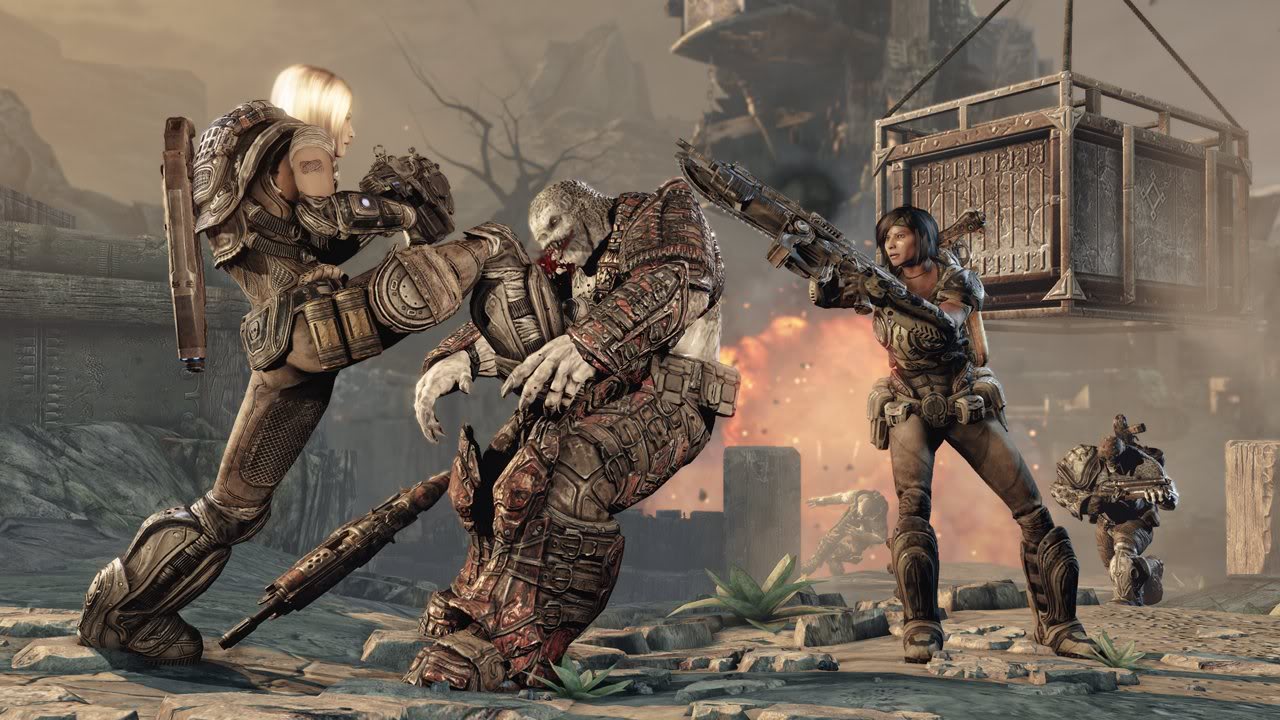
In one match, I was braced up against a short concrete barrier, blind firing over it at my enemy crouching on the other side. I lost that standoff, which didn't escape Fergusson's attention. He leaned forward, tapped me on the shoulder, and said, "Next time, hit the 'A' button. You'll vault over the wall and kick him, which stuns him for a moment."
I smiled, knowing the enemy players sitting across from me didn't hear that tiny piece of strategy. I got the inside scoop straight from the developer, and a few minutes later, I was able to put it to practical use. In a nearly identical standoff, I Gymkata'ed over the wall and put my size-15 boots into some Locust chump's face (who also got to meet two shells' worth of shot from my sawed-off immediately after).
I smiled again, then realized that I had better investigate the other unadvertised features of Gears 3 if I'm to win this war when the game comes out on Xbox 360 this September (or even when the beta hits on April 25). I asked Fergusson to fill me in for this edition of It's the Little Things, and here's what he has to offer:
Click for a larger view
Mantle Kick
How to use it: Hit the "A" button when behind cover
What it does: When an enemy is on the other side, you'll vault over and kick him, which will knock him back and briefly stun him, giving you the upper hand for just a split second.
Tac/Com
How to use it: Hold down the "Left Bumper" button
What it does: "The vision mode is called 'Tac/Com' for tactical communication," says Fergusson. "Using it, you can see your teammates -- even through walls. You can see where weapons spawn on the map. And it will also identify wall-tagged proximity grenades as friendly or not. And when you’re the leader in Capture the Leader, you can also see enemies through walls so that you can call out orders to your protectors."
Spotting
How to use it: Click the left stick
What it does: "You can aim at an enemy and click the left stick to put an icon over his head for your teammates to see. It's non-verbal communication."
Trading
How to use it: Get near someone and press a button
What it does: "You can trade weapons and share ammo now by aiming at a nearby teammate and pressing the corresponding button."
Iron-sight aiming
How to use it: Click the right stick
What it does: "The Hammerburst has iron sights now where you can click the right stick [zoom], and it will put the gun into a first-person perspective."
More intuitive controls
How to use it: Press or hold the corresponding button
What it does: "Another big change was the holding of buttons to allow the player to express their true intent. There used to be lots of problems with people trying to take a meatshield and rolling away or trying to revive a teammate and picking up a gun [instead]. So now if you tap 'X,' you either revive a teammate or meatshield an opponent. If you briefly hold 'X,' then you'll pick up a weapon or ammo. If you tap 'Y,' you will curb-stomp an enemy, but if you hold 'Y,' then you'll do the weapon-specific long execution."