Home
Home
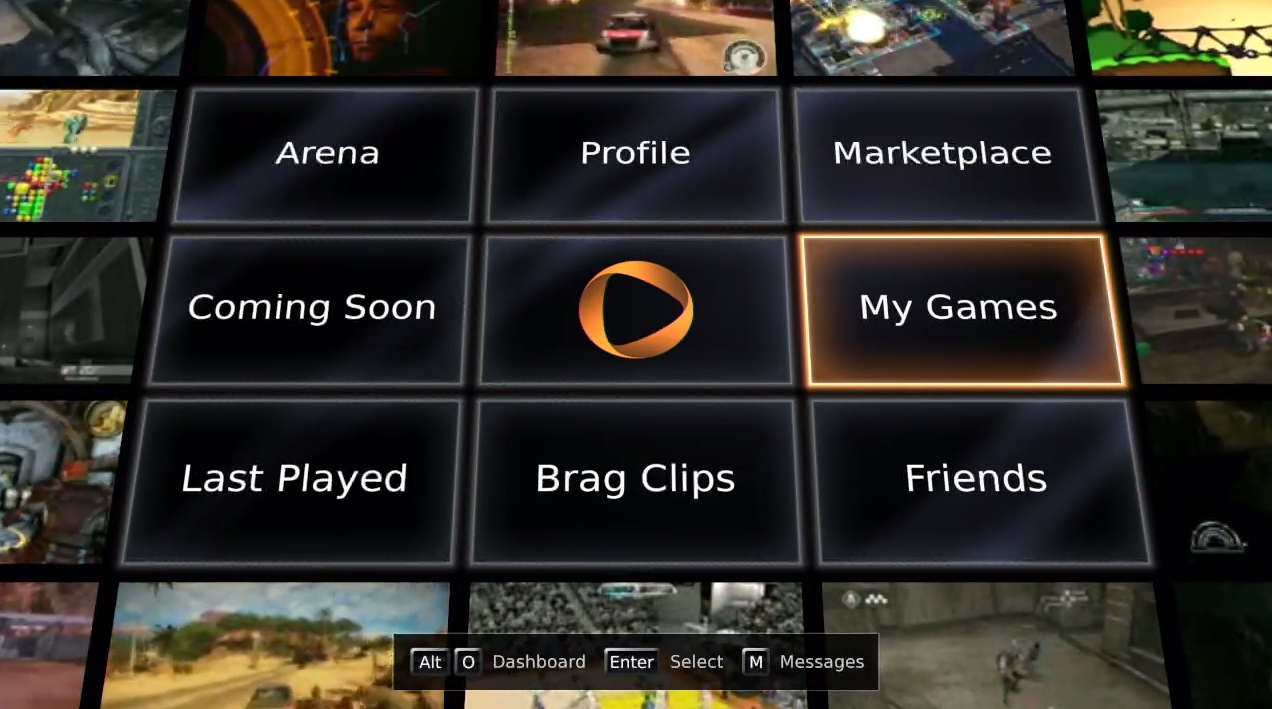 I recently received a press evaluation account for the just-launched OnLive service, and I wanted to share with you my initial impressions. Please keep in mind, I’ve only played for an hour or so total, on one computer -- this is not a review.
Here’s a quick and dirty rundown of just what, exactly, OnLive is. It’s a cloud-based service that lets you play current PC/console games on just about any PC or Mac. They charge monthly subscription of $4.95, but similar to Xbox Live, that fee merely grants you access to the service as well as free demos for every title. To play the full version of something, you’ll need to buy a Play Pass for three, five, or unlimited days. The price varies per game, but the cost seems to be pretty much in line with what you’d expect to pay in a store. If you want to know more, visit this thorough FAQ.
I tested the service on a new-ish HP laptop. It has a Core 2 Duo processor, 4GB of RAM, and a basic ATI Radeon graphics card. OnLive requires a 5Mbps wired (for the time being) Internet connection, which I guess I have since I passed the system requirements test. I used a wired, first-party Xbox 360 controller and had my laptop hooked up to a 47-inch 1080p LCD TV for the duration of my play. All games on OnLive are displayed in 720p. I took the screenshots in this article during my online session. If you have any other technical questions about my setup, please ask in the comments below.
Hit the jump for my first foray into the brave new world of cloud-based gaming.
Uh-oh, not a good start: OnLive gave me an error message stating that my controller wouldn’t work. After about 10 minutes of troubleshooting on my own, I called the customer-support hotline. It took about 10 more minutes to figure out that I needed to download a new driver for the controller (even though Windows 7 had told me the driver was up to date.) Once I got that squared away, it was only about 11 seconds from when I hit the “play game” button to when the game started and the Ubisoft logo appeared. Impressive.
The opening, pre-rendered cutscene ran just fine. I didn’t notice any artifacts or compression issues. Once it switched to the in-game engine for cutscenes, things got a little choppy, with a few brief audio hiccups (perhaps some of this is in the console/PC versions of the game, but I felt that these things were OnLive-related.)
These problems didn't clear up as I took control of Sam Fisher. Between the frame rate and the slight controller lag, I had some difficulty aiming my weapon, but I wouldn’t call either issue a deal breaker. Eventually, everything smoothed out a bit. I died because I stink at stealth games, so I moved on to the next game.
When I started up MLB 2K10, a small icon that said “Network” appeared in the bottom-right corner of my screen. I got the same choppiness through the menu screens and into the beginning of my game. My first pitch was terrible because of the frame rate, but after that, everything began to run much smoother, even before the “Network” icon disappeared.
I was very impressed with how responsive the controls were here, and I actually struck out the side. The hitting controls worked just as well as the pitching, and I had no trouble making contact with the ball. A few OnLive members popped in on my game after I posted a “brag clip,” and that had no negative effect on the gameplay whatsoever.
See page 2 for Just Cause 2, World of Goo, Dirt 2, and a summary of my impressions.